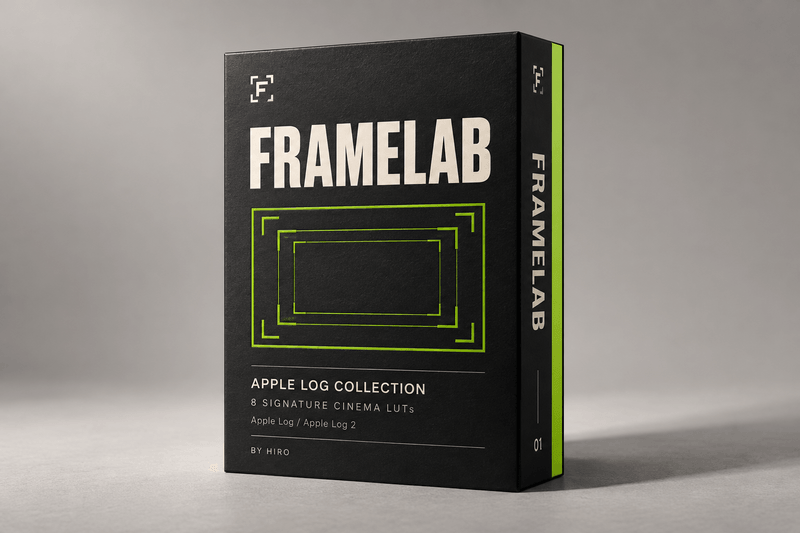
FRAMELAB — Cinema LUTs for Apple Log & Apple Log 2
YOUR NEXT FILM STARTS HERE.
Introducing FRAMELAB
An eight cinema LUTs by Hiro, bringing Tokyo color, modern analog influences, and film-print aesthetics to Apple Log and Apple Log 2.
A collection built around the looks I return to in my own work—from my original Tokyo palette to 2383 Signature III, my go-to grade and the heart of FRAMELAB.
For everyday moments, considered compositions, and stories worth staying with.
EIGHT LOOKS. YOUR POINT OF VIEW.
01 — Tokyo Original
Where it began. The original color look behind my Tokyo films.
02 — Filmic Pro Signature I
Cool emerald and blue-green shadows bring a distinctive cinematic mood, giving your images a refined edge.
03 — Modern Analog Signature II
Analog influence with a modern sensibility. A meeting of familiar film character and contemporary color.
04 — 2383 Signature III
A cinematic foundation for everyday storytelling. Simulation of the 2383 print aesthetic.
05 — 2383 Core
An everyday starting point for exploring the 2383 palette.
06 — 2383 Prime
A second interpretation of 2383, giving you another direction within the print-inspired family.
07 — 16mm Classic
A nod to small-gauge cinema and the appeal of an analog image.
08 — 16mm PrintStock
A print-inspired companion to 16mm Classic, completing the collection’s 16mm pairing.
FIND YOUR LOOK BEFORE THE EDIT.
Load FRAMELAB into Blackmagic Camera and preview your chosen LUT while you shoot. See how the look responds to your scene, and make decisions about light, exposure, and composition with the finished mood in mind.
YOUR CAMERA. YOUR EDITOR. THE FRAMELAB LOOK.
FRAMELAB’s looks are calibrated for a Rec.709 workflow. Convert your Log footage to Rec.709, apply your chosen LUT, and fine-tune exposure and white balance to suit the scene.
Designed with major camera Log and RAW workflows in mind, the collection brings a consistent creative palette across cameras once footage is correctly converted. For RAW footage, decode and color-manage your image before applying the look.
EDIT WHERE YOU CREATE.
Delivered in .cube format for use in DaVinci Resolve, Adobe Premiere Pro, Final Cut Pro, CapCut Desktop, and other editors that support custom .cube LUTs.
From your first assembly to your final sequence, keep the color unmistakably yours.
Apply after the appropriate Rec.709 conversion. Avoid adding a second conversion if your editor has already normalized your footage.
A STARTING POINT FOR YOUR VISION.
Choose your look. Refine your grade.
Balance exposure and white balance, apply the LUT within the appropriate color workflow, and make the final adjustments your footage deserves. Keep a consistent palette across a sequence or explore a different feel for your next film.
WHAT’S INCLUDED
• Eight individual .cube LUT files
• Original Tokyo, modern analog, 2383-inspired, and 16mm-inspired looks
• A collection focused on Apple Log & Apple Log 2 workflows
Digital download. Product packaging is illustrative; no physical item is included.
FRAMELAB
Color with a point of view.